Configuration
This section describes the inputs of the Open OnDemand Service. It also covers role sizing, the worker pool, worker sizes, its Slurm cluster, an external cluster, an external identity provider and user management.
Service Inputs
All inputs are ONEAPP_* context variables. OneFlow places every input in the context of every VM of the service, where root can read it. This includes ONEAPP_PORTAL_CERTIFICATE_KEY and ONEAPP_AUTH_OIDC_CLIENT_SECRET. Every input is optional, and the Sunstone wizard groups them in four tabs, Portal, Users and login, Home directories and Software catalogue. A feature with an _ENABLED switch shows its other inputs only while the switch is YES, and ignores them while it is NO. If a switch is YES and a required field is empty, the role stops at boot, and the message names the field, see A Role Does Not Reach RUNNING.
| Tab | Input | Default | Description |
|---|---|---|---|
| Portal | ONEAPP_PORTAL_HOST_NAME |
empty | Public host name of the portal, resolving to its management address. When empty, the portal answers on that address. |
| Portal | ONEAPP_PORTAL_LETSENCRYPT_ENABLED |
NO |
Request a Let’s Encrypt certificate for the host name. The name has to resolve to the portal. Ports 80 and 443 have to be reachable from the Internet when the portal boots. On failure, the portal keeps its self-signed certificate. |
| Portal | ONEAPP_PORTAL_CERTIFICATE_ENABLED |
NO |
Use a certificate of your own instead of the self-signed one. |
| Portal | ONEAPP_PORTAL_CERTIFICATE_CHAIN, ONEAPP_PORTAL_CERTIFICATE_KEY |
empty | PEM certificate chain and private key, both required when the switch is on. |
| Users and login | ONEAPP_AUTH_LOCAL_USERS |
demo1:demo1pass |
Initial users, user:password separated by spaces, created in the directory of the portal at first boot. A uid may follow, user:password:uid, to match accounts that exist elsewhere. The others get the next free number from 10001. |
| Users and login | ONEAPP_AUTH_OIDC_ENABLED |
NO |
Also allow sign in through an OpenID Connect provider, see External Identity Provider. |
| Users and login | ONEAPP_AUTH_OIDC_ISSUER, ONEAPP_AUTH_OIDC_CLIENT_ID, ONEAPP_AUTH_OIDC_CLIENT_SECRET |
empty | Issuer URL, client id and client secret registered at the provider. The issuer and the client id are required when the switch is on. The secret may stay empty if the provider allows public clients. |
| Users and login | ONEAPP_AUTH_OIDC_NAME |
Institutional login |
Name of the provider on the login page. |
| Home directories | ONEAPP_HOME_NFS_ENABLED |
NO |
Use an NFS server of your own for the home directories instead of the storage role, which then keeps only the software cache. |
| Home directories | ONEAPP_HOME_NFS_SERVER |
empty | Address of that NFS server. Required when the switch is on. |
| Home directories | ONEAPP_HOME_NFS_EXPORT |
/export/home |
Path of the home export on that server. Ignored while the switch is off, the storage role then exports /export/home. |
| Software catalogue | ONEAPP_SOFTWARE_PROXY_ENABLED |
NO |
Use a CernVM-FS proxy of your own instead of the cache on the storage role. The portal and the workers then fetch the EESSI catalogue through that proxy, and the storage role runs no cache. |
| Software catalogue | ONEAPP_SOFTWARE_PROXY_URL |
empty | URL of that proxy, for example http://proxy.example.org:3128. Required when the switch is on, and reachable from the compute network. |
You can also set the host name, the OpenID Connect inputs and the external Slurm attributes on a running portal with onevm updateconf. The portal reconfigures itself in under a minute. The portal keeps the certificate it already has for its host name. A certificate switch changed later therefore takes effect only together with a new host name. To apply it under the same host name, remove /etc/ood/ssl/<host name>.crt and .key on the portal. Without a host name, the files are named after the address. The next reconfigure issues the certificate again.
Advanced Attributes
These attributes never appear in the wizard. Set them in the template_contents of a role in the service template, or in the CONTEXT of a standalone portal VM. A value set in a role reaches that role only. The table names the role that reads each attribute:
| Attribute | Default | Description |
|---|---|---|
ONEAPP_WORKER_IDLE_SECONDS |
600 |
Seconds the oldest worker waits without a job before it drains its Slurm node and leaves the pool. The worker role reads it. |
ONEAPP_WORKER_DRAIN_SECONDS |
600 |
Seconds a drained worker waits for OneFlow to remove it before it returns its node to service. The worker role reads it. |
ONEAPP_POOL_RANGE |
derived | Address range the portal accepts workers from, as first-last. It also limits the number of Slurm nodes. Inside a service, the portal derives it from its compute interface, the whole /24 around its address. Set it only for a compute network larger than a /24, or for a portal outside a OneFlow service. The range has to stay inside one /24, because a session publishes the worker address that starts with the first three octets of the range. On a larger compute network, reserve a /24 slice of it for the workers and give that slice here. The portal role reads it. |
ONEAPP_SLURM_STATE_EXPORT |
/export/slurm |
Export of the storage role that keeps the state of the Slurm controller, the munge key and the accounting dumps. The portal role mounts it. |
ONEAPP_SLURM_DEF_MEM_PER_CPU |
1024 |
Memory in MB a job gets per core when it requests none. The portal role reads it. |
ONEAPP_SLURM_CONTROLLER_ENABLED |
NO |
Add a second Slurm cluster of the site for batch jobs, see An External Slurm Cluster. The portal role reads it. |
ONEAPP_SLURM_CONTROLLER_HOST |
empty | Address or host name of that controller. Required when the switch is on. The portal role reads it. |
ONEAPP_SLURM_TITLE |
External Slurm |
Name of that cluster in the Job Composer and Active Jobs. The portal role reads it. |
Sizing the Roles
The marketplace template gives every VM 2 vCPU and 4 GB of memory, and 8 GB for the portal. Every session is a Slurm job that reserves the cores and the memory its form requests, and a worker takes sessions until its cores or its memory are reserved. Size the worker role for the sessions one VM should hold. OneFlow always adds workers of the size set in the worker role, never a bigger one, and the forms offer at most what the largest worker has. To offer bigger sessions, raise the memory or the CPU of the worker role, or add a second worker role of another size, see Worker Sizes. The portal runs the Slurm controller, its accounting daemon and MariaDB beside Open OnDemand, and uses about 700 MB of memory when idle. To change a size, edit the service template before instantiating it and set CPU, VCPU and MEMORY in the template_contents of the role.
Scaling the Worker Pool
The pool scales automatically, see How the Pool Grows and Shrinks. The workers publish SLURM_PENDING, the number of jobs waiting for a worker of their role, and OneFlow adds one VM when the value stays above 0 for two periods of 30 seconds. The oldest worker drains its Slurm node once it has had no job for ONEAPP_WORKER_IDLE_SECONDS and nothing is pending, publishes OLDEST_IDLE=1 while the node is drained and empty, and OneFlow removes it after two periods of 60 seconds. ONEAPP_WORKER_DRAIN_SECONDS undoes a drain when OneFlow does not remove the worker in time, and the last worker of a role never drains. Both are Advanced Attributes of the worker role. For a pool larger than six VMs, raise max_vms of the worker role in the service template. OneFlow refuses a scale command during the cooldown after every scale operation, 300 seconds after a policy acts and 120 seconds after a manual scale. To set the size manually while the service is RUNNING:
oneflow scale <service_id> worker <cardinality>
Worker Sizes
Every role whose name starts with worker is a pool of session VMs. To offer a larger VM, copy the worker role in the service template under a new name, such as worker_large. Give it the CPU and memory you want, and the same parents and elasticity policies. Each worker registers its Slurm node with the name of its role as a feature. A session that chooses a size is submitted with --constraint=<role> and runs only on a worker of that role. A job with no constraint takes any worker. The application forms show a Worker size field only when several worker roles exist.
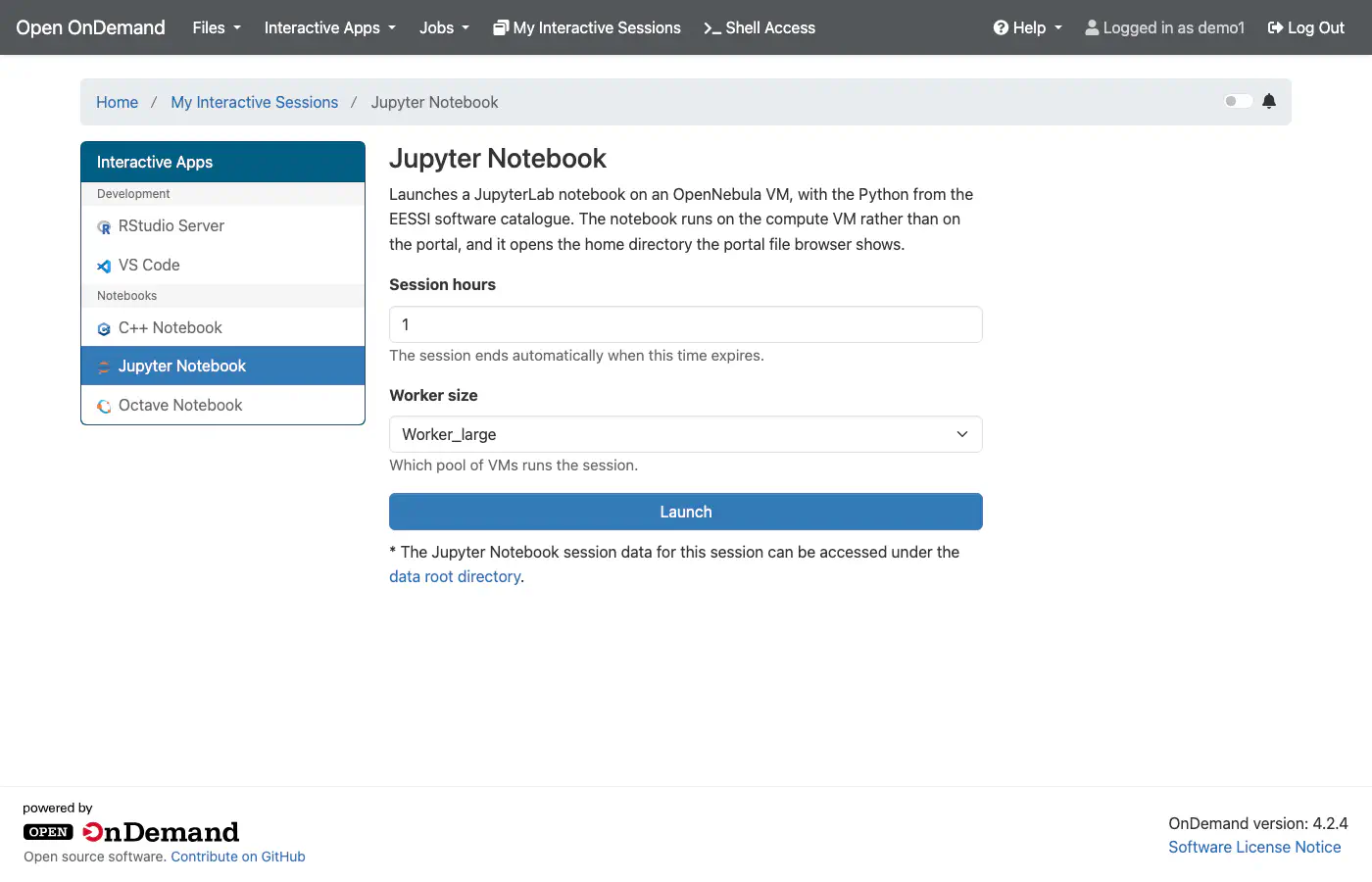
Each size scales automatically and keeps at least one VM, because OneFlow scales a role from the metrics of its VMs. The workers count only the pending jobs their role can serve. A GPU size is a worker_gpu role whose template_contents also carries the PCI device of the Host, as the NVIDIA GPU passthrough page describes. A worker that boots with /dev/nvidia0 registers its node with the GPU as a Slurm resource. The forms then show a GPUs field, and a session that requests a GPU is submitted with --gres=gpu:<n>. The image ships no driver, so the site installs it on that role.
nvidia-smi inside a session before offering the size to users.
Batch Jobs with Slurm
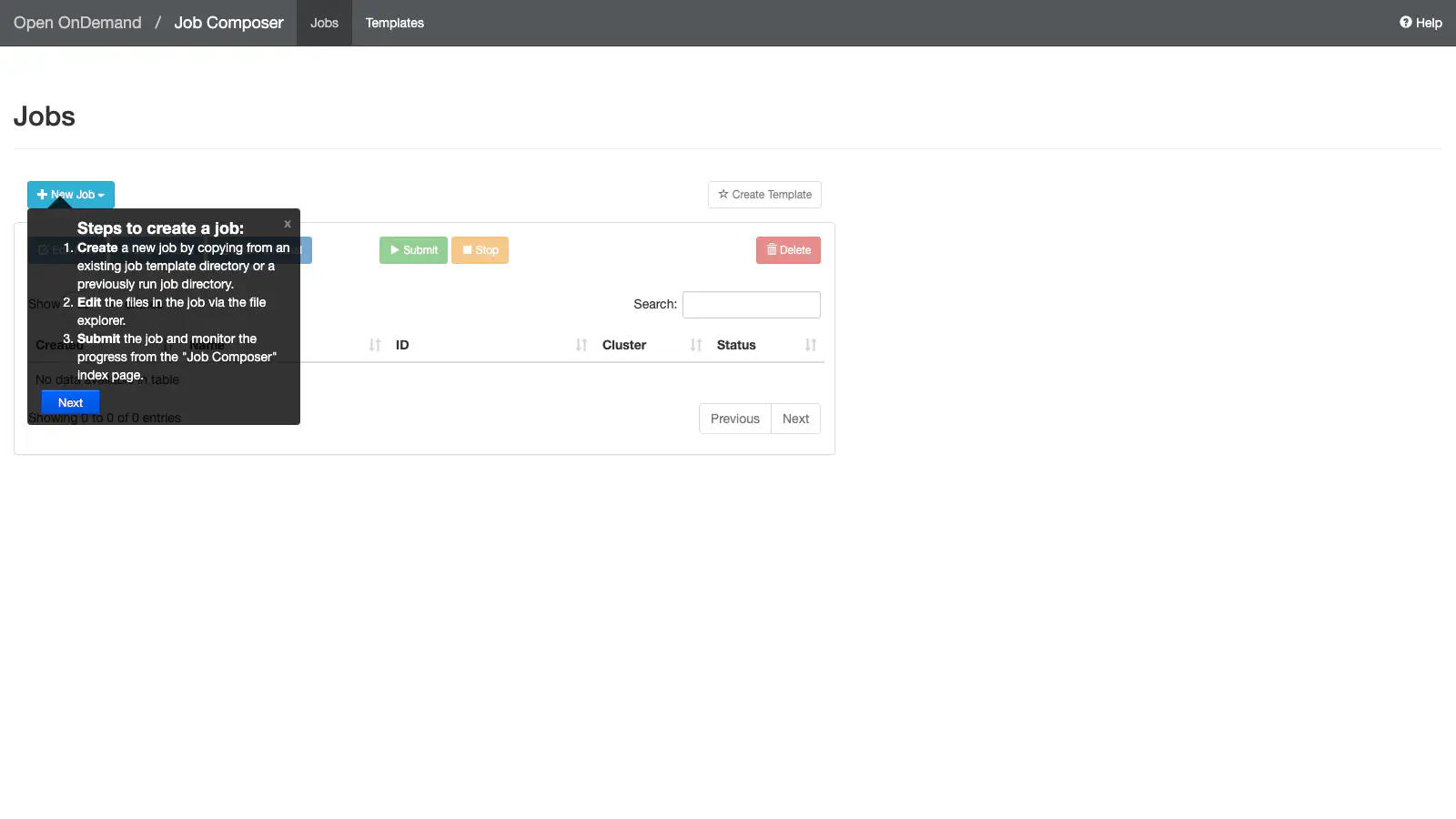
The service runs its own Slurm cluster, always on. The portal role runs slurmctld, slurmdbd and MariaDB beside Open OnDemand, and keeps the controller state on the /export/slurm export of the storage role. Every worker joins the partition main as a dynamic node, with the name of its role as a feature. Every interactive session is a Slurm job, so batch jobs and sessions share one queue and no two of them share a core. The portal offers the cluster as Slurm in the Job Composer and Active Jobs. sbatch, squeue, scancel, sinfo, sacct and scontrol run on the portal itself, so the Shell app submits a job as the user:
sbatch -c 1 --mem=512M -t 5 --wrap hostname
squeue
sacct -j <job id>
The job runs on a worker with the cores and the memory it requested. A job without --mem gets ONEAPP_SLURM_DEF_MEM_PER_CPU MB per core. The partition gives a job one hour when it sets no time limit, and allows up to twelve hours. A job that waits for a worker grows the pool, see Scaling the Worker Pool. A job that no worker of the pool could ever run does not grow it. A GPU request on a pool without one is refused at submit with Requested node configuration is not available. A request for more cores than the largest worker has waits with reason PartitionConfig. Accounting runs through slurmdbd on the portal, so sacct keeps the history of every job and session. The portal dumps the database to the storage export every 30 minutes, and a new portal restores the newest dump when it boots.
MPI Jobs on Several Workers
A batch job can use several workers at once with MPI. The EESSI catalogue provides OpenMPI, and the image ships the PMIx library that srun uses to start the processes. A job script loads the module and starts the program with srun --mpi=pmix or with mpirun:
#!/bin/bash -l
#SBATCH -N 2 --ntasks-per-node=1 -c 1 --mem=512M -t 10
module load OpenMPI/5.0.8-GCC-14.3.0
srun --mpi=pmix ./hello
On the testbed, a two node program compiled with mpicc from EESSI ran on both workers with srun --mpi=pmix and with mpirun. The interactive applications use one worker each.
An External Slurm Cluster
The service runs its own Slurm cluster and needs no other one. If your site already runs a second Slurm cluster, such as the Elastic Slurm service, you can attach it for batch jobs. It has to share the users and the home directories with the portal. The portal offers it in the Job Composer and Active Jobs under the name in ONEAPP_SLURM_TITLE. The interactive applications keep running on the cluster of the service. ONEAPP_SLURM_CONTROLLER_ENABLED and ONEAPP_SLURM_CONTROLLER_HOST are Advanced Attributes of the portal role. A running portal accepts them with onevm updateconf.
-
Note the compute addresses of the portal and storage VMs of the running service, the second address of each in
onevm list --list ID,NAME,IP. -
Instantiate
OneSlurmon the same compute network with its local LDAP disabled:ONEAPP_LDAP_ENABLE NO ONEAPP_LDAP_DOMAIN ood.local ONEAPP_LDAP_URL ldap://<portal compute address> ONEAPP_SLURM_NFS_HOME <storage compute address>:/export/homeFrom the command line, the instantiation file has to list every input of the template, with the others at their defaults.
-
Once OneSlurm is
RUNNING, declare the cluster on the portal with the compute address of the controller:onevm updateconf <portal vm id> --append <<EOT CONTEXT = [ ONEAPP_SLURM_CONTROLLER_ENABLED = "YES", ONEAPP_SLURM_CONTROLLER_HOST = "<controller compute address>" ] EOT
For that cluster, sbatch, squeue, scancel, sinfo, sacct and scontrol run on its controller over SSH as the user. The controller therefore has to answer on port 22 from the compute address of the portal. Job history in sacct needs slurmdbd on that controller, which the default OneSlurm deployment does not run. The appliances/one-ondemand/docs/slurmdbd-setup.sh script of the appliance repository installs slurmdbd with MariaDB, enables accounting in slurm.conf and registers the cluster.
Adding Software for Every User
The scientific software comes from the EESSI catalogue, built with EasyBuild and delivered over CernVM-FS. EasyBuild itself is a module of the catalogue, so a user can build in their home a package that EESSI lacks. The service also has a shared software directory, so that the operator builds a package once and every user sees it.
The storage role exports the directory, and the portal and the workers mount it at /opt/eessi. That is the path where the EESSI catalogue looks for the additions of a site, and the EESSI init adds the modules found there to MODULEPATH in every session and every job. Nothing else needs configuration. Only the eessi user writes there, from the portal.
To build a package, give ood-site-install an EasyBuild recipe on the portal, as root. The image ships a recipe for GNU Hello as an example:
ood-site-install /opt/one-ondemand/config/easybuild/hello-2.12.1-GCCcore-14.3.0.eb
The command loads EasyBuild from EESSI as the eessi user, builds the recipe and its missing dependencies from source, and installs the result in the shared directory under the CPU family of the VM. A build takes minutes. When it ends, the package is in module avail for every user, in every session and on every worker, next to the EESSI modules:
module load hello
hello
ood-site-install --search <name> lists the recipes that EasyBuild ships, more than a thousand. A recipe of your own is a text file like the example, with the name, the version, the source URL, the toolchain and the dependencies of the package. Use a toolchain that EESSI provides, for example GCCcore/14.3.0 or foss/2025a, so the build reuses the compiler and the libraries of the catalogue. The shared directory belongs to the service and is deleted with it, so keep the recipes and build them again on a new service.
External Identity Provider
When ONEAPP_AUTH_OIDC_ENABLED is YES, the login page offers the provider in ONEAPP_AUTH_OIDC_ISSUER, ONEAPP_AUTH_OIDC_CLIENT_ID and ONEAPP_AUTH_OIDC_CLIENT_SECRET beside the local directory. It appears under the name in ONEAPP_AUTH_OIDC_NAME. Register https://<ONEAPP_PORTAL_HOST_NAME>/dex/callback as the redirect URI at the provider. The account name is the preferred_username claim. When the provider sends no such claim, it is the part of the email before the at sign. The session runs as a Unix user with a home directory. A user who signs in this way therefore needs an entry in the LDAP directory under that name.
Managing Users
Users live in the LDAP directory of the portal role. The portal generates the administrator password at first boot and keeps it in /etc/one-ondemand/ldap-admin.pass, readable by root only. To add a user, run this on the portal VM:
ldapadd -x -D cn=admin,dc=ood,dc=local -y /etc/one-ondemand/ldap-admin.pass <<EOT
dn: cn=alice,ou=Groups,dc=ood,dc=local
objectClass: posixGroup
cn: alice
gidNumber: 10003

dn: uid=alice,ou=People,dc=ood,dc=local
objectClass: inetOrgPerson
objectClass: posixAccount
objectClass: shadowAccount
uid: alice
cn: alice
sn: alice
uidNumber: 10003
gidNumber: 10003
homeDirectory: /home/alice
loginShell: /bin/bash
userPassword: {SSHA}...
EOT
Generate the hash with slappasswd -h '{SSHA}' -s <password>. The user can sign in immediately, and the workers resolve users against the same directory.
GIVE FEEDBACK
Was this resource helpful?
Glad to hear it
Sorry to hear that