Operating System Profiles
In Sunstone you can quickly flavor a VM template by using an Operating System Profile, which will pre-fill part of the template for you. By default, Sunstone ships with a “Windows Optimized” profile which contains some basic Windows-specific optimization settings.
Defining a Profile
-
Navigate to the profiles directory:
By default found in
etc/one/fireedge/sunstone/profiles. -
Create a new YAML file:
Name your profile by defining a new
.yamlfileNoteThe filename is used to identify the profile in Sunstone. The filename is sentence-cased and all_characters are displayed as spaces. For example,windows_optimized.yamlbecomesWindows Optimized. -
Configure the profile:
Define the profile according to the Operating System Profiles schema.
ImportantAll values are case sensitiveHere’s an example of a profile that fills in the name of the VM template, the CPU & memory configuration, and sets up the backup strategy.
---
# basic_profile.yaml
"General":
  NAME: "Example profile"
  CPU: 4
  VCPU: 4
  MEMORY: 8
  MEMORYUNIT: "GB"

"Advanced options":
  Backup:
    BACKUP_CONFIG:
     MODE: "INCREMENT"
     INCREMENT_MODE: "CBT"
     BACKUP_VOLATILE: "Yes"
     FS_FREEZE: "AGENT"
     KEEP_LAST: 7
The profile can then be saved and accessed in Sunstone from the first step in the VM Templates Create/Update dialog:
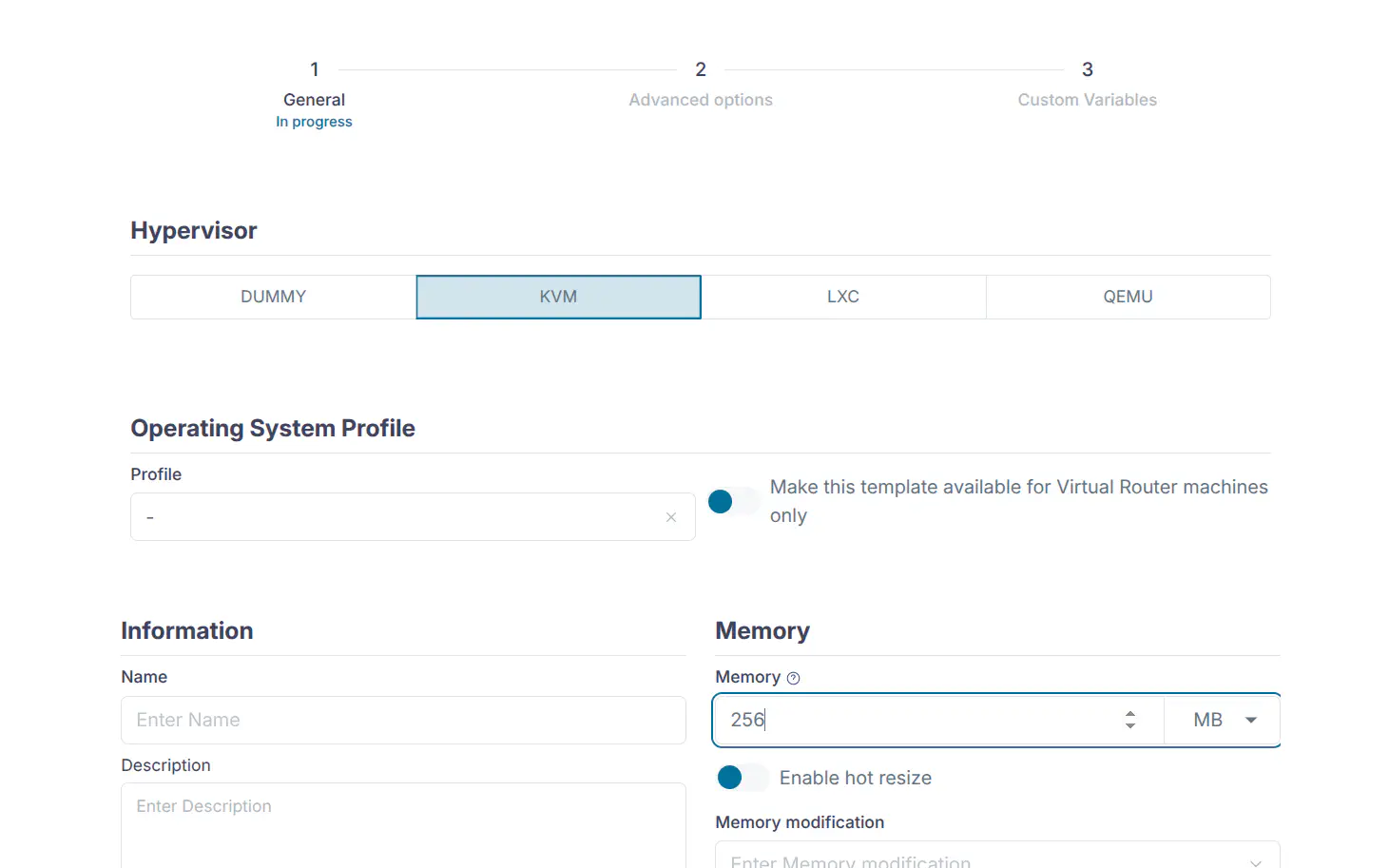
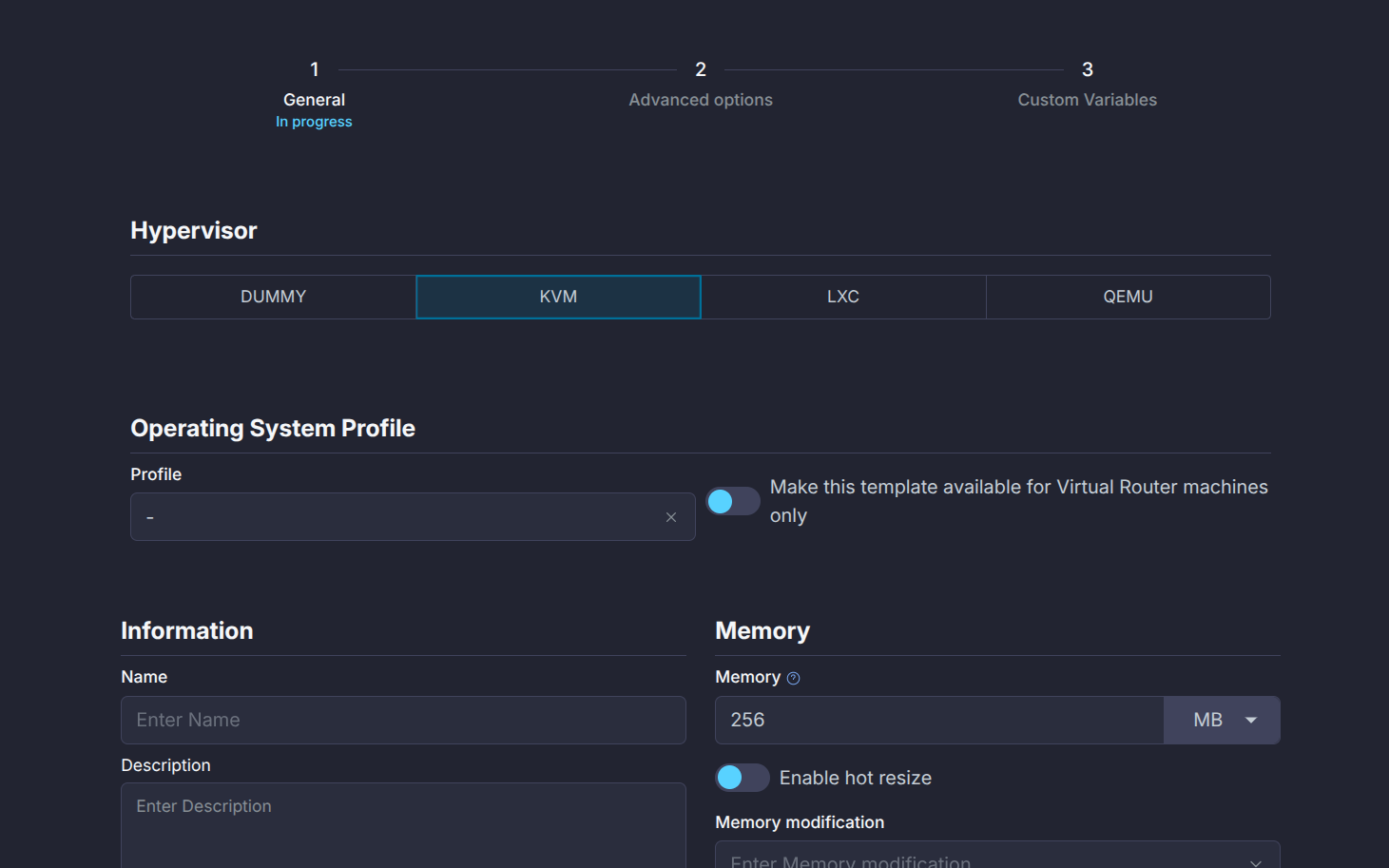
base.template file (found in the default profiles directory), which includes examples for majority of the inputs for a VM template. This base template should only be used as a reference when creating new profiles and not directly used as-is.
Profile Chain Loading
It’s also possible to chain-load profiles by referencing one profile from another. This allows you to combine snippets of profiles together more efficiently, combining different optimizations for specialized use cases.
Take for example the default Windows profile that ships with Sunstone:
---
# Windows profile
"General":
  NAME: "Optimized Windows Profile"

"Advanced options":
  OsCpu:
    OS:
      ARCH: X86_64
      SD_DISK_BUS: scsi
      MACHINE: host-passthrough
      FIRMWARE: BIOS
    FEATURES:
      ACPI: "Yes"
      PAE: "Yes"
      APIC: "Yes"
      HYPERV: "Yes"
      LOCALTIME: "Yes"
      GUEST_AGENT: "Yes"
      VIRTIO_SCSI_QUEUES: "auto"
      VIRTIO_BLK_QUEUES: "auto"
      # IOTHREADS:
    CPU_MODEL:
      MODEL: "host-passthrough"
        # FEATURES:
        # - Tunable depending on host CPU support
        # -
    RAW:
      DATA: |-
        <features>
          <hyperv>
            <evmcs state='off'/>
            <frequencies state='on'/>
            <ipi state='on'/>
            <reenlightenment state='off'/>
            <relaxed state='on'/>
            <reset state='off'/>
            <runtime state='on'/>
            <spinlocks state='on' retries='8191'/>
            <stimer state='on'/>
            <synic state='on'/>
            <tlbflush state='on'/>
            <vapic state='on'/>
            <vpindex state='on'/>
          </hyperv>
        </features>
        <clock offset='utc'>
          <timer name='hpet' present='no'/>
          <timer name='hypervclock' present='yes'/>
          <timer name='pit' tickpolicy='delay'/>
          <timer name='rtc' tickpolicy='catchup'/>
        </clock>
      VALIDATE: "Yes"
Now say you want to combine this profile with the basic profile from the previous section. Now you just add the OS_PROFILE attribute to the basic profile’s configuration and reference the other profile from it:
OS_PROFILE value being referenced should match the one on disk exactly, excluding the .yaml extension
---
# basic_profile.yaml
"General":
  NAME: "Example profile"
  OS_PROFILE: "windows_optimized"
  CPU: 4
  VCPU: 4
  MEMORY: 8
  MEMORYUNIT: "GB"

"Advanced options":
  Backup:
    BACKUP_CONFIG:
     MODE: "INCREMENT"
     INCREMENT_MODE: "CBT"
     BACKUP_VOLATILE: "Yes"
     FS_FREEZE: "AGENT"
     KEEP_LAST: 7
Sunstone now sequentially loads each profile and applies them on top of each other. This means that if two fields modify the same values, e.g., NAME, the last profile to modify that field will be used.
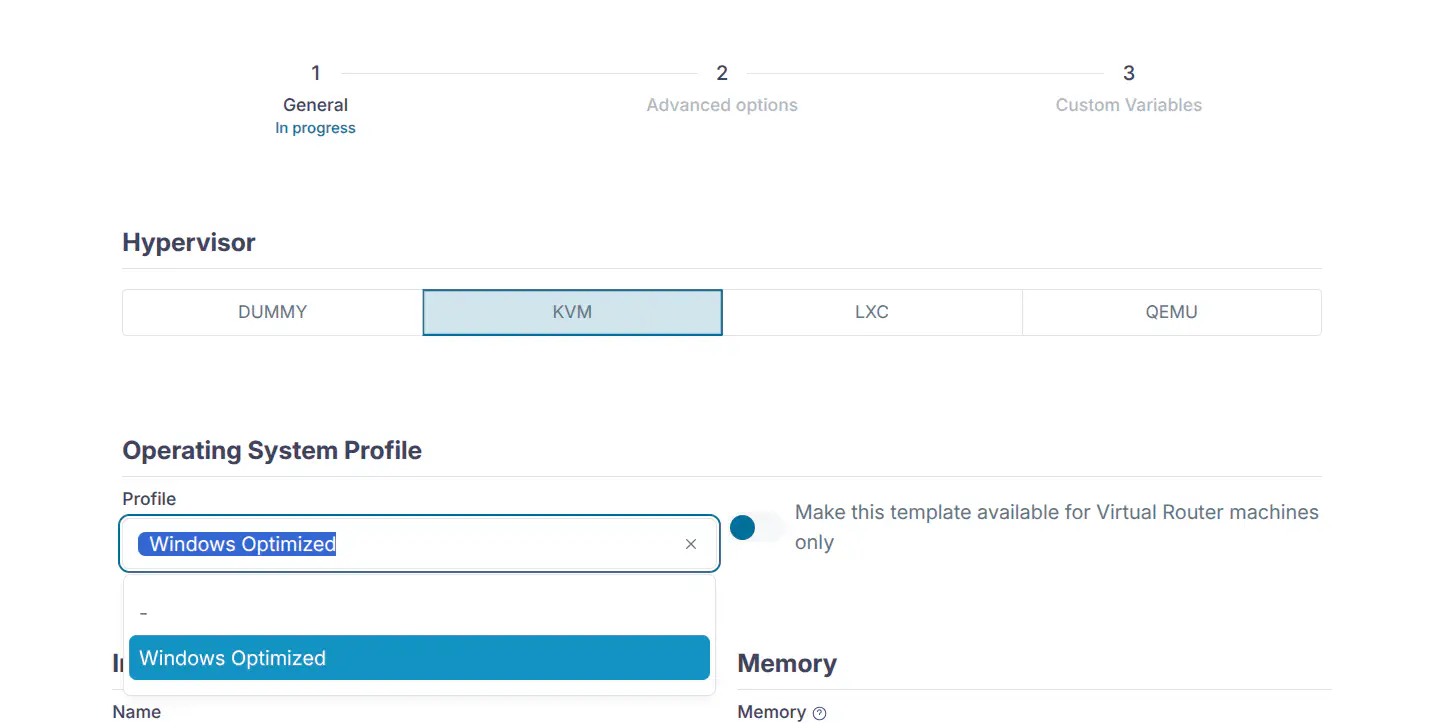
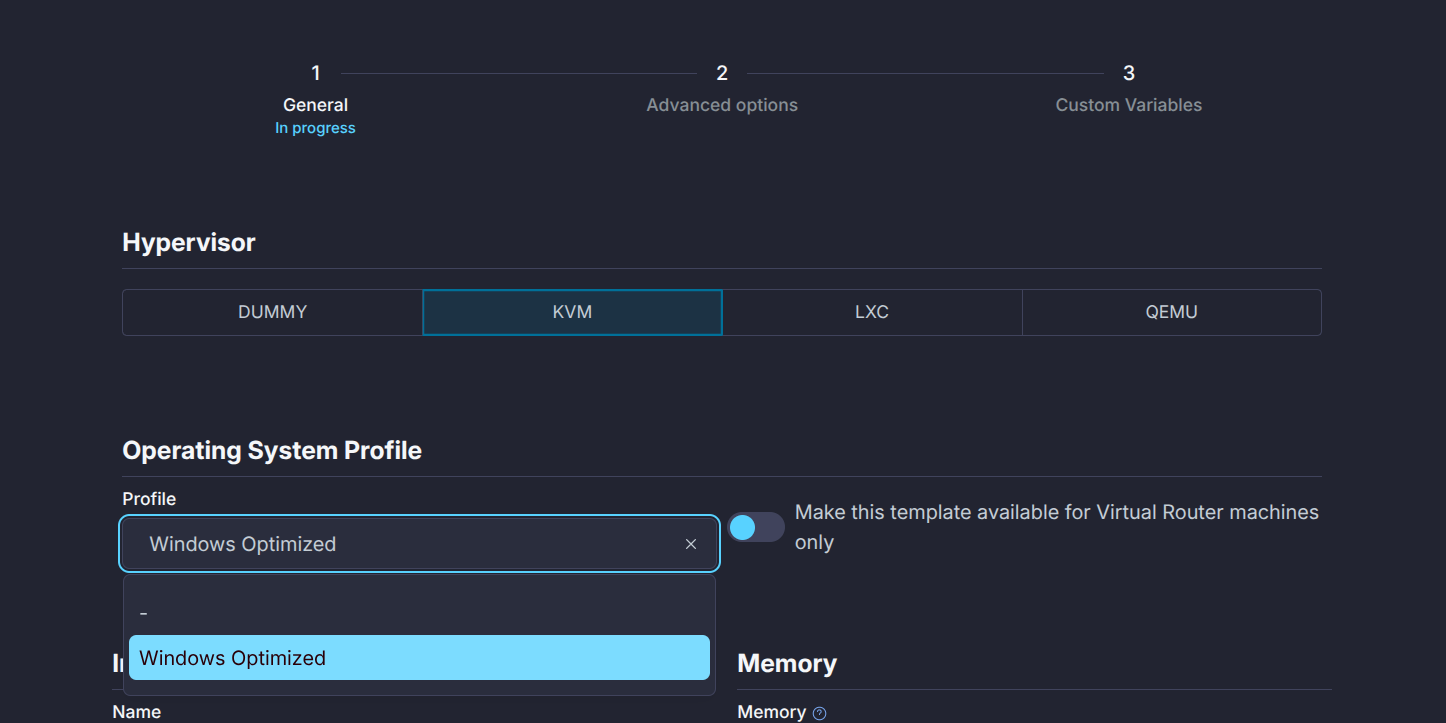
Profiles Schema
General Configuration
| Field Name | Type | Description | Allowed Values |
|---|---|---|---|
| NAME | string | Template name | Any string |
| LOGO | string | Logo path | Any valid path or URL, e.g., “images/logos/linux.png” |
| HYPERVISOR | string | Type of hypervisor used | “kvm”, “lxc”, “qemu” |
| DESCRIPTION | string | Description of the configuration | Any string |
| VROUTER | boolean | Specifies if it’s a virtual router | “Yes”, “No” |
| OS_PROFILE | string | Operating system profile | Any string |
| AS_GID | string | Instantiate as Group ID | Any valid group ID |
| AS_UID | string | Instantiate as User ID | Any valid user ID |
| MEMORY_SLOTS | number | Number of memory slots | Any positive integer |
| MEMORY_RESIZE_MODE | string | Mode for resizing memory | “BALLOONING”, “HOTPLUG” |
| MEMORY_MAX | number | Maximum memory allocation | Any positive number |
| MEMORYUNIT | string | Memory measurement unit | “MB”, “GB”, “TB” |
| VCPU_MAX | number | Maximum number of virtual CPUs | Any positive integer |
| VCPU | number | Number of virtual CPUs allocated | Any positive integer |
| CPU | number | Number of CPUs allocated | Any positive number |
| MEMORY | number | Amount of memory allocated | Any positive number |
| DISK_COST | number | Cost associated with disk usage | Any positive number |
| CPU_COST | number | Cost associated with CPU usage | Any positive number |
| MEMORY_COST | number | Cost associated with memory usage | Any positive number |
| MODIFICATION | Resource Modification Settings | ||
| VCPU | |||
| → max | number | Maximum value for virtual CPUs | Any positive integer |
| → min | number | Minimum value for virtual CPUs | Any positive integer |
| → options | array | Options for virtual CPUs | List of options |
| → type | string | Type of virtual CPUs modification | “Any value”, “fixed”, “list”, “range” |
| CPU | |||
| → max | number | Maximum value for CPUs | Any positive number |
| → min | number | Minimum value for CPUs | Any positive number |
| → options | array | Options for CPUs | List of options |
| → type | string | Type of CPUs modification | “Any value”, “fixed”, “list”, “range” |
| MEMORY | |||
| → max | number | Maximum memory allocation | Any positive number |
| → min | number | Minimum memory allocation | Any positive number |
| → options | array | Options for memory | List of options |
| → type | string | Type of memory modification | “Any value”, “fixed”, “list”, “range” |
| HOT_RESIZE | Hot Resize Configuration | ||
| → CPU_HOT_ADD_ENABLED | boolean | Enables hot-add functionality for CPU | “Yes”, “No” |
| → MEMORY_HOT_ADD_ENABLED | boolean | Enables hot-add functionality for memory | “Yes”, “No” |
| VMGROUP | Virtual Machine Group Settings | ||
| → ROLE | string | Role within the VM group | Any role identifier |
| → VMGROUP_ID | string | Identifier for the VM group | Any valid VM group ID |
Advanced Options
All configuration options are grouped by tab.
Storage Configuration
| Field Name | Type | Description | Allowed Values |
|---|---|---|---|
| Storage | Storage Configuration | ||
| → DISK | array | List of disk configurations | |
| →→ NAME | string | Disk identifier | Any string (e.g., “DISK1”, “DISK2”) |
| →→ CACHE | string | Cache mode | “none”, “default”, “unsafe”, “writethrough”, “writeback”, “directsync” |
| →→ TARGET | string | Target device | Any string (e.g., “sdc”) |
| →→ DEV_PREFIX | string | Device prefix (BUS) | “vd”, “sd”, “hd”, “xvd”, “custom” |
| →→ DISCARD | string | Discard mode | “ignore”, “unmap” |
| →→ IMAGE | string | Name of the image | Any string, should match the image ID |
| →→ IMAGE_ID | number | ID of the image | Any positive integer, should match the image name |
| →→ IO | string | IO policy | “native”, “threads”, “io_uring” |
| →→ IOTHREADS | number | Number of IO threads | Any positive integer |
| →→ READONLY | boolean | Read-only flag | “Yes”, “No” |
| →→ READ_BYTES_SEC | number | Read bytes per second | Any positive number |
| →→ READ_BYTES_SEC_MAX | number | Max read bytes per second | Any positive number |
| →→ READ_BYTES_SEC_MAX_LENGTH | number | Time period for max read bytes/sec | Any positive number |
| →→ READ_IOPS_SEC | number | Read IO operations per second | Any positive number |
| →→ READ_IOPS_SEC_MAX | number | Max read IO operations per second | Any positive number |
| →→ READ_IOPS_SEC_MAX_LENGTH | number | Time period for max read IOPS/sec | Any positive number |
| →→ RECOVERY_SNAPSHOT_FREQ | number | Snapshot frequency for recovery | Any positive integer |
| →→ SIZE | number | Size of the disk in MB | Any positive number |
| →→ SIZE_IOPS_SEC | number | Size of IO operations per second | Any positive number |
| →→ TOTAL_BYTES_SEC | number | Total bytes per second | Any positive number |
| →→ TOTAL_BYTES_SEC_MAX | number | Max total bytes per second | Any positive number |
| →→ TOTAL_BYTES_SEC_MAX_LENGTH | number | Time period for max total bytes/sec | Any positive number |
| →→ TOTAL_IOPS_SEC | number | Total IO operations per second | Any positive number |
| →→ TOTAL_IOPS_SEC_MAX | number | Max total IO operations per second | Any positive number |
| →→ TOTAL_IOPS_SEC_MAX_LENGTH | number | Time period for max total IOPS/sec | Any positive number |
| →→ WRITE_BYTES_SEC | number | Write bytes per second | Any positive number |
| →→ WRITE_BYTES_SEC_MAX | number | Max write bytes per second | Any positive number |
| →→ WRITE_BYTES_SEC_MAX_LENGTH | number | Time period for max write bytes/sec | Any positive number |
| →→ WRITE_IOPS_SEC | number | Write IO operations per second | Any positive number |
| →→ WRITE_IOPS_SEC_MAX | number | Max write IO operations per second | Any positive number |
| →→ WRITE_IOPS_SEC_MAX_LENGTH | number | Time period for max write IOPS/sec | Any positive number |
Network Configuration
Network→NIC and PCI devices under Network→PCI
| Field Name | Type | Description | Allowed Values |
|---|---|---|---|
| Network | Network Configuration | ||
| → NIC | PCI | array | List of NIC or PCI configurations | |
| →→ NAME | string | Name of the network interface | Any string |
| →→ GATEWAY | string | Default gateway | Valid IPv4 address |
| →→ GATEWAY6 | string | Default IPv6 gateway | Valid IPv6 address |
| →→ GUEST_MTU | number | Guest MTU setting | Any number (e.g., 1500) |
| →→ INBOUND_AVG_BW | number | Inbound average bandwidth | Any positive number |
| →→ INBOUND_PEAK_BW | number | Inbound peak bandwidth | Any positive number |
| →→ INBOUND_PEAK_KB | number | Inbound peak kilobytes | Any positive number |
| →→ IP | string | IP address | Valid IPv4 address |
| →→ IP6 | string | IPv6 address | Valid IPv6 address |
| →→ IP6_METHOD | string | IPv6 configuration method | “auto”, “dhcp”, “static” |
| →→ MAC | string | MAC address | Valid MAC address |
| →→ METHOD | string | IP configuration method | “auto”, “dhcp”, “static” |
| →→ MODEL | string | Model of the network interface | Any string |
| →→ NETWORK_ADDRESS | string | Network address | Valid network address |
| →→ NETWORK_MASK | string | Network mask in dot notation (“255.0.0.0”). | Valid subnet mask |
| →→ NETWORK_MODE | string | Network mode | “auto”, “manual”, etc. |
| →→ OUTBOUND_AVG_BW | number | Outbound average bandwidth | Any positive number |
| →→ OUTBOUND_PEAK_BW | number | Outbound peak bandwidth | Any positive number |
| →→ OUTBOUND_PEAK_KB | number | Outbound peak kilobytes | Any positive number |
| →→ PCI_TYPE | string | PCI type | “NIC”, “PCI”, “emulated” |
| →→ RDP | boolean | Enable RDP | “Yes”, “No” |
| →→ RDP_DISABLE_AUDIO | boolean | Disable RDP audio | “Yes”, “No” |
| →→ RDP_DISABLE_BITMAP_CACHING | boolean | Disable RDP bitmap caching | “Yes”, “No” |
| →→ RDP_DISABLE_GLYPH_CACHING | boolean | Disable RDP glyph caching | “Yes”, “No” |
| →→ RDP_DISABLE_OFFSCREEN_CACHING | boolean | Disable RDP offscreen caching | “Yes”, “No” |
| →→ RDP_ENABLE_AUDIO_INPUT | boolean | Enable RDP audio input | “Yes”, “No” |
| →→ RDP_ENABLE_DESKTOP_COMPOSITION | boolean | Enable desktop composition in RDP | “Yes”, “No” |
| →→ RDP_ENABLE_FONT_SMOOTHING | boolean | Enable font smoothing in RDP | “Yes”, “No” |
| →→ RDP_ENABLE_FULL_WINDOW_DRAG | boolean | Enable full window drag in RDP | “Yes”, “No” |
| →→ RDP_ENABLE_MENU_ANIMATIONS | boolean | Enable menu animations in RDP | “Yes”, “No” |
| →→ RDP_ENABLE_THEMING | boolean | Enable theming in RDP | “Yes”, “No” |
| →→ RDP_ENABLE_WALLPAPER | boolean | Enable wallpaper in RDP | “Yes”, “No” |
| →→ RDP_RESIZE_METHOD | string | RDP resize method | “display-update”, “reconnect” |
| →→ RDP_SERVER_LAYOUT | string | RDP server keyboard layout | e.g., “en-us-qwerty” |
| →→ SSH | string | Enable SSH | “Yes”, “No” |
| →→ VIRTIO_QUEUES | number | Number of VirtIO queues | Any positive integer |
| →→ TYPE | string | Set to “NIC” or “PCI” to specify device type | “NIC”, “PCI” |
OS and CPU Configuration
| Field Name | Type | Description | Allowed Values |
|---|---|---|---|
| OsCpu | OS and CPU Configuration | ||
| →OS | Operating System configuration | ||
| →→ ARCH | string | Architecture | “x86_64”, “i686” |
| →→ SD_DISK_BUS | string | SD disk bus type | “scsi”, “sata” |
| →→ MACHINE | string | Machine type | Dependent on Host support |
| →→ FIRMWARE | string | Firmware type | “BIOS”, “UEFI” & Host supported e.g., “/usr/share/AAVMF/ AAVMF_CODE.fd” |
| →→ FIRMWARE_FORMAT | string | Firmware desired format | “qcow2“, “raw“ (default) |
| →→ BOOT | string | Boot device order | Comma-separated list e.g., “disk0,disk1,nic0” |
| →→ KERNEL | string | Kernel image path | Any valid path |
| →→ KERNEL_DS | string | Kernel file reference | e.g., $FILE[IMAGE_ID=123] |
| →→ INITRD | string | Initrd image path | Any valid path |
| →→ INITRD_DS | string | Initrd file reference | e.g., $FILE[IMAGE_ID=456] |
| →→ ROOT | string | Root device identifier | Any string |
| →→ FIRMWARE_SECURE | boolean | Enable secure firmware | “Yes”, “No” |
| →→ KERNEL_CMD | string | Kernel command-line parameters | Any string |
| →→ BOOTLOADER | string | OS bootloader | Any valid path |
| →→ UUID | string | Operating system UUID | Any string |
| →FEATURES | Virtualization Features | ||
| →→ ACPI | boolean | ACPI setting | “Yes”, “No” |
| →→ PAE | boolean | PAE setting | “Yes”, “No” |
| →→ APIC | boolean | APIC setting | “Yes”, “No” |
| →→ HYPERV | boolean | Enable Hyper-V features | “Yes”, “No” |
| →→ LOCALTIME | boolean | Synchronize guest time with Host | “Yes”, “No” |
| →→ GUEST_AGENT | boolean | Enable guest agent | “Yes”, “No” |
| →→ VIRTIO_SCSI_QUEUES | string | Virtio SCSI queues configuration | “auto” or positive integer |
| →→ VIRTIO_BLK_QUEUES | string | Virtio block queues configuration | “auto” or positive integer |
| →→ IOTHREADS | number | Number of IO threads | Any positive integer |
| →CPU_MODEL | CPU Model Configuration | ||
| →→ MODEL | string | Specific CPU model | “host-passthrough”, “core2duo”, etc. |
| →→ FEATURES | array | CPU model features | List of features |
| →RAW | Raw Configuration Data | ||
| →→ TYPE | string | Type of raw data | “kvm”, “qemu” |
| →→ DATA | string | Raw configuration data | Any string |
| →→ VALIDATE | boolean | Validate raw data against libvirt schema | “Yes”, “No” |
PCI Configuration
| Field Name | Type | Description | Allowed Values |
|---|---|---|---|
| PciDevices | PCI Device Configuration | ||
| →PCI | array | PCI Configuration | |
| →→ NAME | string | PCI device identifier | PCI + ID, e.g., PCI1, PCI2 |
| →→ CLASS | string | PCI class code of the device | Hexadecimal string |
| →→ DEVICE | string | PCI device ID | Hexadecimal string |
| →→ VENDOR | string | PCI vendor ID | Hexadecimal string |
| →→ SHORT_ADDRESS | string | PCI address of the device | Hexadecimal string |
Input/Output Configuration
| Field Name | Type | Description | Allowed Values |
|---|---|---|---|
| InputOutput | Input/Output Configuration | ||
| → VIDEO | Video Configuration | ||
| →→ TYPE | string | Type of video device | “auto”, “cirrus”, “none”, “vga”, “virtio” |
| →→ VRAM | number | Video RAM allocation in KB | Any positive integer |
| →→ RESOLUTION | string | Video resolution | e.g., “1280x720” |
| →→ IOMMU | boolean | Enable IOMMU support | “Yes”, “No” |
| →→ ATS | boolean | Enable Address Translation Service | “Yes”, “No” |
| → INPUT | array | Input Device Configurations | |
| →→ BUS | string | Bus type for input device | “ps2”, “usb” |
| →→ TYPE | string | Type of input device | “mouse”, “tablet” |
| → GRAPHICS | Graphics Configuration | ||
| →→ TYPE | string | Type of graphics interface | “VNC” |
| →→ LISTEN | string | Graphics listen address | Valid IP address or hostname |
| →→ PORT | string | Graphics access port | Any valid port number |
| →→ KEYMAP | string | Keymap configuration | e.g., “en-us” |
| →→ PASSWD | string | Graphics access password | Any string |
| →→ RANDOM_PASSWD | boolean | Use random password for graphics access | “Yes”, “No” |
| →→ COMMAND | string | Custom graphics command | Any string |
Context Configuration
| Field Name | Type | Description | Allowed Values |
|---|---|---|---|
| Context | Contextualization Configuration | ||
| → CONTEXT | mapping | Context Variables | |
| →→ SSH_PUBLIC_KEY | string | SSH public key for the VM | Any string e.g., “$USER[SSH_PUBLIC_KEY]” |
| →→ START_SCRIPT | string | Start script content (plain or base64) | Any string |
| →→ NETWORK | string | Include network context | “Yes”, “No” |
| →→ TOKEN | string | Include authentication token | “Yes”, “No” |
| →→ REPORT_READY | string | Report readiness to the system | “Yes”, “No” |
| →→ INIT_SCRIPTS | array | Initialization scripts | List of script names |
| →→ FILES_DS | string | Files from datastore (space-separated) | Any string |
| →→ Custom Context Variables | mapping | User-defined context variables | e.g., CUSTOM_VAR: “123” |
| → USER_INPUTS | array | Array of User Input Definitions | |
| →→ name | string | Name of the user input | Any string |
| →→ mandatory | boolean | Whether the input is mandatory | true, false |
| →→ type | string | Type of the input | “password”, “list”, “listMultiple”, “number”, “numberFloat”, “range”, “rangeFloat”, “boolean” |
| →→ label | string | Label or description of the input | Any string |
| →→ options | array | List of options for selection inputs | List of strings |
| →→ default | string | Default value of the input | Any string |
| →→ min | string | Minimum value (for numeric inputs) | Any number |
| →→ max | string | Maximum value (for numeric inputs) | Any number |
Scheduled Actions Configuration
| Field Name | Type | Description | Allowed Values |
|---|---|---|---|
| ScheduledAction | Scheduled Actions Configuration | ||
| → SCHEDULED_ACTION | array | Array of scheduled action definitions | |
| →→ NAME | string | Name of the scheduled action | Any string |
| →→ ACTION | string | Action to be performed | “backup”, “terminate” “terminate-hard”, “undeploy”, “undeploy-hard”,”hold”, “release”,”stop”, “suspend”,”resume”, “reboot”,”reboot-hard”, “poweroff”, “poweroff-hard”, “snapshot-create”, “snapshot-revert”, “snapshot-delete”, “disk-snapshot-create”, “disk-snapshot-rename”, “disk-snapshot-revert” |
| →→ ARGS | string | Arguments for the action | Depends on ACTION |
| →→ TIME | number | Scheduled time in Unix timestamp | Positive integer |
| →→ REPEAT | string | Type of repetition | 0: weekly 1: monthly 2: yearly 3: hourly |
| →→ DAYS | string | Days of the week for repeating actions | Comma-separated list of numbers (0 to 6) |
| →→ END_TYPE | string | Type of end condition | 0: never 1: repetition 2: date |
| →→ END_VALUE | number | Value associated with END_TYPE | Depends on END_TYPE |
Placement Configuration
| Field Name | Type | Description | Allowed Values |
|---|---|---|---|
| Placement | Placement Configuration | ||
| → SCHED_DS_RANK | string | Datastore scheduling rank expression | “FREE_MB”, “-FREE_MB” |
| → SCHED_DS_REQUIREMENTS | string | Datastore scheduling requirements | Expression string |
| → SCHED_RANK | string | Host scheduling rank expression | “FREE_CPU”, “RUNNING_VMS”, “-RUNNING_VMS” |
| → SCHED_REQUIREMENTS | string | Host scheduling requirements | Expression string |
NUMA Topology Configuration
| Field Name | Type | Description | Allowed Values |
|---|---|---|---|
| NUMA | NUMA Configuration | ||
| → TOPOLOGY | NUMA Topology Settings | ||
| →→ CORES | number | Number of cores per socket | Any positive integer |
| →→ THREADS | number | Number of threads per core | Any positive integer |
| →→ SOCKETS | number | Number of sockets | Any positive integer |
| →→ HUGEPAGE_SIZE | string | Size of hugepages in MB | “2”, “1024” |
| →→ MEMORY_ACCESS | string | Memory access mode | “private”, “shared” |
| →→ PIN_POLICY | string | NUMA pinning policy | “NONE”, “THREAD”, “SHARED”, “CORE”, “NODE_AFFINITY” |
| →→ NODE_AFFINITY | string | Preferred NUMA node(s) | Comma-separated list of node IDs |
Backup Configuration
| Field Name | Type | Description | Allowed Values |
|---|---|---|---|
| BACKUP | Backup Configuration | ||
| → BACKUP_CONFIG | Backup Settings | ||
| →→ MODE | string | Backup mode | “FULL”, “INCREMENT” |
| →→ INCREMENT_MODE | string | Incremental backup method | “CBT”, “SNAPSHOT” |
| →→ BACKUP_VOLATILE | string | Include volatile disks in backup | “Yes”, “No” |
| →→ FS_FREEZE | string | Filesystem freeze method | “NONE”, “AGENT”, “SUSPEND” |
| →→ KEEP_LAST | number | Number of backups to keep | Any positive integer |
| →→ DISK_IDS | string | Disk IDs to back up | Comma-separated disk IDs |
GIVE FEEDBACK
Was this resource helpful?
Glad to hear it
Sorry to hear that