Overview
How Should I Read This Chapter
Before performing the operations outlined in this chapter, familiarize with Node Deployment from the Installation guide.
After that, proceed with the specific Datastore documentation you might be interested in.
Datastore Types
Storage in OpenNebula is designed around the concept of datastores. A datastore is any storage medium to store disk images. OpenNebula distinguishes between three different datastore types:
- Images Datastore, which stores the base operating system images, persistent data volumes, CD-ROMs and File Systems.
- System Datastore holds disks of running Virtual Machines. Disk are moved from/to the Images when the VMs are deployed/terminated.
- Files & Kernels Datastore to store plain files (not disk images), e.g. kernels, ramdisks, or contextualization files. See details here.
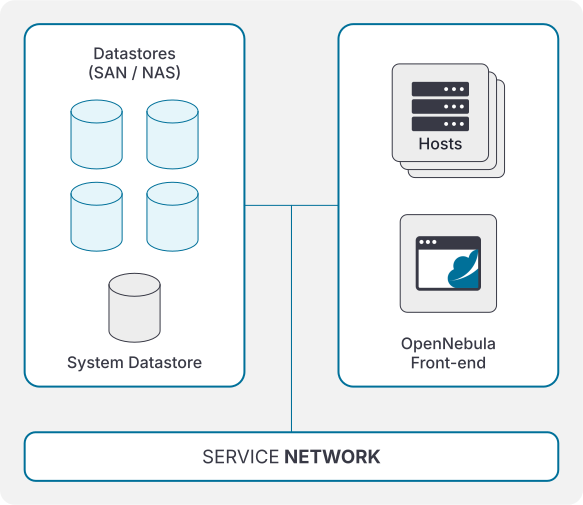
Storage portfolio
| Use case | Description | Shared | Disk Format | Disk snapshots | VM snapshots | Storage migration | Fault tolerance | HV | Availability |
|---|---|---|---|---|---|---|---|---|---|
| Local storage | Images stored in Front-end* and transferred to hosts via SSH on instantiation. |
no | raw/qcow2 | yes | yes | poweroff/live | no | KVM/LXC | EE/CE |
| NFS/NAS | Images stored in a NFS share, activated directly. | yes | raw/qcow2 | yes | yes | poweroff/live | yes | KVM/LXC | EE/CE |
| Ceph | Images stored in a Ceph pool, activated directly. | yes | raw (RBD) | yes | no | poweroff | yes | KVM/LXC | EE/CE |
| SAN - LVM | Images stored as LVs in a SAN, activated directly. | yes | raw (LV) | yes | no | poweroff | yes | KVM | EE only |
| SAN - LVM (File Mode) |
Images stored in frontend*, transferred to hosts via SSH, and copied to the SAN on instantiation. |
yes | raw (LV) Images: raw/qcow2 |
yes** | no | poweroff/live | yes | KVM | EE/CE |
| SAN - NetApp | Images stored in a NetApp cabin, activated directly. | yes | raw (LUN) | yes | no | poweroff/live | yes | KVM | EE only |
| SAN - Everpure | Images stored in a Pure FlashArray, activated directly. | yes | raw (LUN) | yes | no | poweroff/live | yes | KVM | EE only |
| FileSystems - VirtioFS | Images are filesytem paths available on the hosts | yes | filesystems (dir) | no | no | no | yes | KVM | EE/CE |
* Additional options available by mounting remote filesystems in the Front-end.
** Only with LVM Thin mode enabled.
*** Images stored on the frontend just contain metadata. The filesystems to mount should be present and available on the hosts.
For details on performing datastore migrations, refer to the datastore migration section of the Virtual Machines Operation Documentation.
Other storage options
As an admin, restrict the usage of some storage options because these give low-level access to hosts and could become a serious security risk. Please read carefully the corresponding documentation before using them:
| Use case | Description | Shared | Disk Format | Disk snapshots | VM snapshots | Live migration | Fault tolerance | HV | Availability |
|---|---|---|---|---|---|---|---|---|---|
| Raw Device Mapping | Images accessed as block devices directly from hosts. | yes | raw (block) | yes | no | yes | no | KVM | EE/CE |
| SAN - iSCSI | Images accessed as iSCSI LUNs directly from hosts. | yes | raw (volume) | yes | no | yes | yes | KVM | EE/CE |
GIVE FEEDBACK
Was this resource helpful?
Glad to hear it
Sorry to hear that